Hi 👋, I'm a software engineer (backend, applied AI, Elastic Stack). My blog shares practical tutorials, mostly on the Elastic Stack and Next.js. LeetCode 1756 (top 10.4% globally, Sep 2026). Actively seeking SDE roles — let's get in touch!
Comments
findhi
Apr 02, 2024
Nice work, keep it up
Leave a Comment
Success!
Receive Latest Updates 📬
Get every new post, special offers, and more via email. No fee required.
Conditional filtering is a very important feature that helps you to process data based on different conditions.
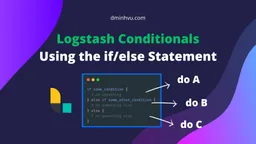
This tutorial, will show you how to use conditional filtering in Logstash with the if/else statement.
Similarly, to check if a field is empty in Logstash, you can use if [field] == "", which will return true if the field is empty, and false if the field is not empty.
For example, to check if the field [user][age] is missing, you can use the following code:
filter.logstash.conf
if [user][age] == "" { # do something} else { # do something else}
To check if a field is null in Logstash, you can use if [field] == nil, which will return true if the field is null, and false if the field is not null.
For example, to check if the field [user][email] is null, you can use the following code:
filter.logstash.conf
if [user][email] == nil { # do something} else { # do something else}
To check if a field starts with a string in Logstash, you can use if [field] =~ /^<string>/, which will return true if the field starts with the string, and false if the field does not start with the string.
For example, to check if the field [user][name] starts with the string Minh, you can use the following code:
filter.logstash.conf
if [user][name] =~ /^Minh/ { # do something} else { # do something else}







Comments
findhi
Apr 02, 2024
Nice work, keep it up